


Highlights
MSI Titan 18 HX AI Review: The Ultimate Gaming and Workstation Experience
MSI Titan 18 HX AI is truly a remarkable device. Referring to it as a laptop feels rather inadequate. This machine is a powerhouse, merging capabilities of a gaming rig and a workstation while also being exceptionally heavy. Those in search of portability should look elsewhere. For individuals desiring desktop-level performance wrapped in a portable format, the Titan 18 HX AI is likely to impress.
Design and Build
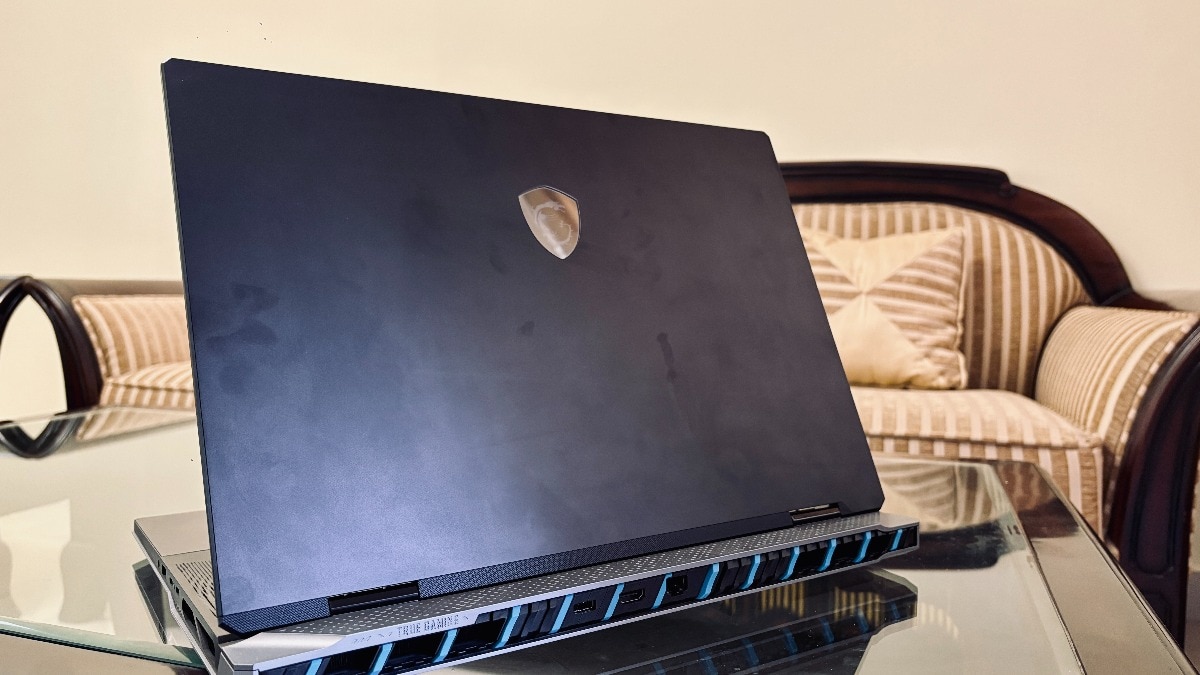
Upon unboxing the Titan, it’s apparent that it’s not designed for casual environments. Weighing in at nearly 3.6 kilos, this is not a device one tosses easily into a backpack. With its substantial size, robust construction, and deliberate aesthetics, it boldly announces its serious intent. The RGB lights, mechanical keyboard, and formidable chassis resemble more of a gaming battle station than a traditional laptop.
MSI has clearly prioritised detail; the aggressive cooling vents, solid keyboard deck, and an overall sense of durability reinforce its robust design. However, it undeniably carries the weight of a tank.
Display
The display section reveals just how impressive this device truly is. The 18-inch 4K Mini-LED screen is nothing short of stunning. It ranks among the brightest panels available in laptops, and HDR content is visually captivating. The expansive screen coupled with a 120 Hz refresh rate ensures an immersive experience for games and movies. For those engaged in creative tasks like video editing, colour grading, or design work, this display will undoubtedly exceed expectations.
Performance
Performance is where the Titan 18 HX AI truly shines. Featuring Intel’s Core Ultra 9 285HX and Nvidia’s RTX 5090 laptop GPU, the performance is astonishing. High-demand tasks such as gaming, 4K video editing, and AI-related workloads are handled with remarkable ease.
Frame rates in contemporary AAA games remain impressively high, even at ultra settings in 4K resolution. Creative processes that typically challenge laptops to their breaking point are completed swiftly. It genuinely feels akin to operating a high-end desktop, disguised as a laptop.
Keyboard and Touchpad
Typing on the Titan offers an intriguing experience. The main keys feature Cherry MX mechanical switches, which deliver excellent tactile feedback and a satisfying click. However, the inclusion of membrane switches for the number pad and arrow keys introduces an element of inconsistency in the typing experience. While not a deal-breaker, this oddity makes it seem like a hybrid of two different keyboard types.
Conversely, the touchpad offers a somewhat disappointing experience. It employs haptic technology but does not always respond as smoothly as one might hope. However, it is acknowledged that most users will likely connect a gaming mouse rather than relying on the touchpad.
Heat, Noise, and Battery Life
All that performance does come with some drawbacks. Under heavy loads, the Titan can become quite loud, with aggressive fan activity that can be noticeable in quieter environments. Temperatures on the surface tend to rise, yet they remain manageable. It’s advisable to position it on a desk rather than on one’s lap.
As for battery life, it leaves much to be desired. Even during light use, exceeding the two-hour mark presents a challenge. Attempting to game on battery power is simply not feasible. This machine is designed to be stationary on a desk, permanently connected to its power source.
Titan 18 HX AI vs Alienware Area-51 18
For those familiar with the Alienware Area-51 18, which set new standards for modern portable desktops, the Titan 18 HX AI stands as a direct competitor. Analyzing specifications reveals that both devices share striking similarities. Both are equipped with Nvidia’s RTX 5090 laptop GPU, resulting in virtually identical gaming performance across most titles. Where the Titan attempts to gain an advantage is through the Intel Core Ultra 9 285HX processor. However, in comparison, the performance gain is minimal. The Titan achieves only a 3-5% increase in synthetic benchmarks and demanding tasks, which is unlikely to be noticeable in actual gaming scenarios.
This places the focus onto design, display quality, and features. MSI’s Mini-LED 4K display significantly outshines Alienware’s, particularly in HDR content. Nevertheless, Alienware secures points for its more consistent keyboard layout and slightly superior thermal performance during extended use.
Thus, while the Titan excels in screen quality, it does not decisively surpass the Alienware in terms of raw performance. Ultimately, the decision relies on personal preference: whether one prefers MSI’s striking design and display or Alienware’s polished refinement.