


One UI 7 Update Based on Android 15 Released by Samsung
One UI 7 is now officially announced by Samsung, starting its rollout for supported Galaxy devices from April 7. The first devices to receive this update will include the Galaxy S24 series, Galaxy Z Fold 6, and Galaxy Z Flip 6, as highlighted in Samsung’s official blog, with additional Galaxy smartphones and tablets set to receive the update shortly thereafter.
Availability of One UI 7
The rollout of One UI 7 will commence on April 7, focusing on the newest devices, namely the Galaxy S24 series, Galaxy Z Fold 6, and Galaxy Z Flip 6. In the weeks that follow, Samsung plans to extend the update to previously launched models, including the Galaxy S23 series, Galaxy S23 FE, Galaxy Z Fold 5, Galaxy Z Flip 5, Galaxy Tab S10 series, and Galaxy Tab S9 series.
One UI 7: Key Enhancements
New Design
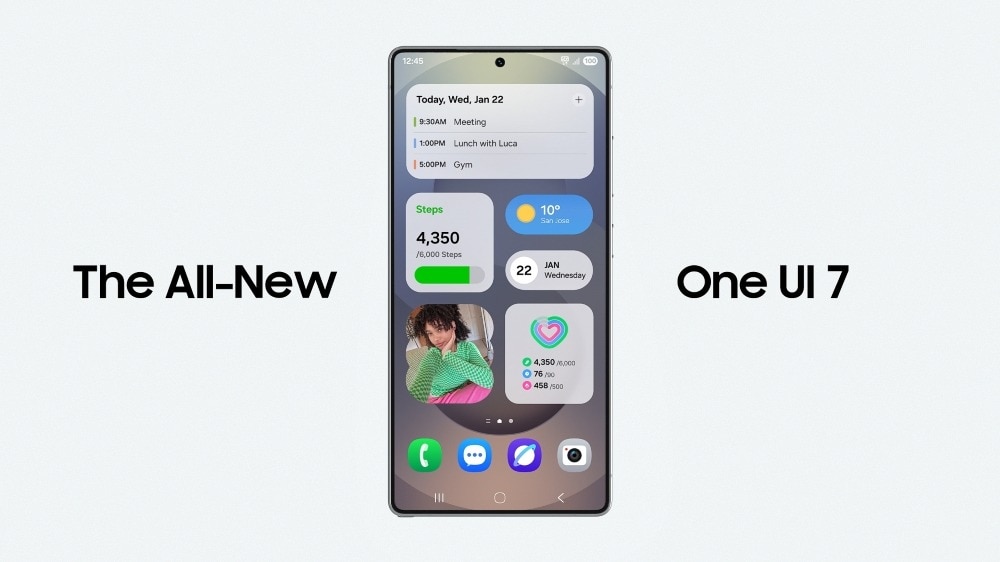
One UI 7 will introduce a reimagined home screen along with redesigned One UI widgets and lock screens for Samsung users. Samsung presents this update as featuring a straightforward, impactful, and emotive design that enhances the overall user experience.
Enhancements to Now Bar
With the Galaxy S25 series, Samsung introduced the Now Bar to provide users with real-time information updates. A simple swipe will allow users to access details such as the currently playing song or their running progress without the need to unlock their devices.
AI Features
The AI capabilities in One UI 7 will create a more intuitive experience for users. While viewing any video, users can swipe the Edge Panel and tap the ‘AI Select’ icon to save a clip as a GIF, a feature seen in the S25 series. The Writing Assist feature will enable users to summarise or format text per their requirements. Additionally, the Drawing Assist tool will allow for simple sketches to be converted into polished drawings. The Audio Eraser will improve audio quality by isolating specific sounds and eliminating unwanted noises in videos.
Google Gemini Integration
In One UI 7, Samsung makes it easiest for users to activate Google Gemini by simply long-pressing the power button and speaking to it.
Natural Language Assistance in Settings
Searching for specific settings in One UI 7 becomes easier, as users can describe their issues casually, such as stating “my eyes hurt,” and the device will suggest relevant options based on the input.