Highlights
Truecaller Family Protection Feature for Scam Prevention
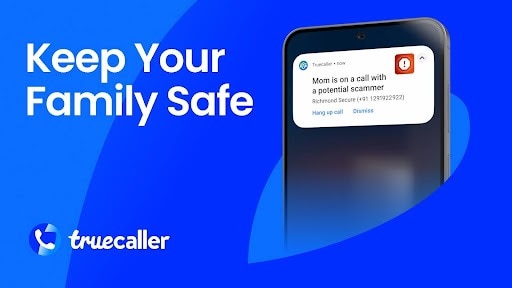
Truecaller has launched a new Family Protection feature designed to combat scam attempts. This feature allows users to form a trusted family group of up to five members within the app, enabling them to collectively take measures when someone in the family gets a dubious call or scam alert. Within the group, one member will serve as the administrator, managing block lists, scam notifications, and various functionalities.
Overview of Truecaller Family Protection
The Truecaller Family Protection feature is available for users on both iOS and Android platforms, with Android offering additional functionalities through the admin settings. For optimal use of the feature, all family members must download the Truecaller app. After installation, users can create their trusted family group equipped with shared tools to effectively address scams.
Roles and Responsibilities Within the Family Group
As mentioned earlier, every group includes a Family Admin who has the authority to update protection settings, manage block lists, and utilize remote support features when necessary.
Exclusive Tools for Android Users
For individuals using Android devices, the admin gains access to on-the-spot scam prevention tools. This includes the ability to take immediate actions against scam call alerts and to monitor battery levels, phone activities, and overall availability. Truecaller highlights that the Family Protection feature is free of charge, aimed at diminishing scams among families while fostering communication security.
Future Expansion of Family Protection Feature
Currently, the Truecaller Family Protection feature is being rolled out in select regions, including Chile, Kenya, Malaysia, and Sweden. Truecaller has confirmed plans to broaden this feature’s availability to additional areas, including India, by the first quarter of 2026.