• About Us
  • Contact Us
  • Advertise
  • Privacy Policy
  • Terms and Conditions
StartupSuperb
  • NewsLatest
    • Trending
    • International Insights
    • Reports
  • Funding FlowJust In
  • Artificial Intelligence
  • Tech
  • Marketing
  • Resources
    • Books
  • Shark Tank
    • Shark Tank India
  • Startup Stories
    • Founder Fridays
    • Superb Shepreneurs
No Result
View All Result
  • NewsLatest
    • Trending
    • International Insights
    • Reports
  • Funding FlowJust In
  • Artificial Intelligence
  • Tech
  • Marketing
  • Resources
    • Books
  • Shark Tank
    • Shark Tank India
  • Startup Stories
    • Founder Fridays
    • Superb Shepreneurs
No Result
View All Result
StartupSuperb
No Result
View All Result
ADVERTISEMENT
Home Tech

Navigating the Future: How to Use ChatGPT on Apple CarPlay While Driving

Akash Das by Akash Das
April 3, 2026
in Tech
0
0
Navigating the Future: How to Use ChatGPT on Apple CarPlay While Driving
0
SHARES
0
VIEWS
Share on LinkedInShare on FacebookShare on X.comSend on TelegramSend on WhatsApp
ADVERTISEMENT


ChatGPT on Apple CarPlay: Revolutionary AI Integration


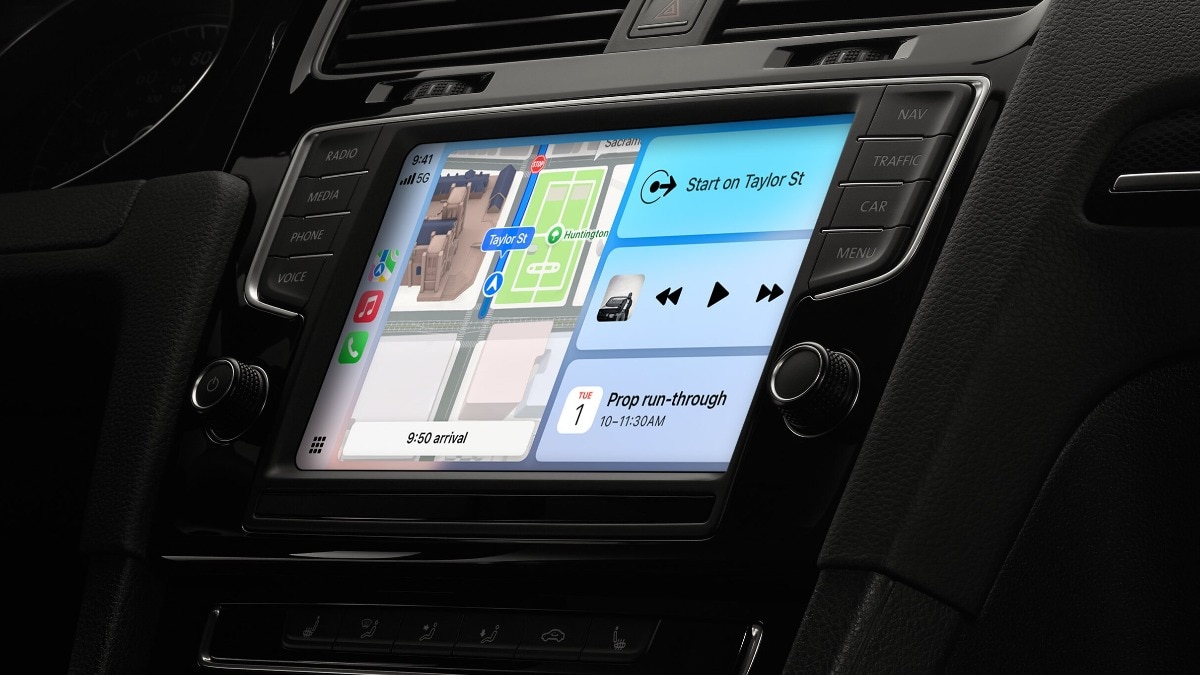
ChatGPT has revolutionised Apple CarPlay with its latest iOS 26.4 update, introducing the first significant AI chatbot integration within Apple’s in-car system. Drivers can now engage with the conversational AI directly from their dashboard and interact hands-free while on the road. This enhancement in CarPlay comes as Apple has introduced support for voice-activated conversational applications.

Hence, whether it is brainstorming ideas during the daily commute or enjoying AI-generated humour, ChatGPT is conveniently available with just a tap. Here is how to utilise ChatGPT on Apple CarPlay.

Highlights

  • 1 How to utilise ChatGPT on Apple CarPlay
    • 1.1 Connecting your iPhone to CarPlay
    • 1.2 Locating the app
    • 1.3 Initiating a conversation
    • 1.4 Speaking naturally
    • 1.5 Resuming a conversation

How to utilise ChatGPT on Apple CarPlay

To begin using ChatGPT on Apple CarPlay, ensure that your iPhone is updated to the latest iOS 26.4 version and that the newest iteration of the ChatGPT app is installed. It’s important to remember that this feature is exclusively supported in vehicles equipped with Apple CarPlay.

Connecting your iPhone to CarPlay

– Plug your iPhone into your vehicle’s USB port or establish a wireless connection.

Locating the app

– Look for the ChatGPT app on your CarPlay home screen and select it.

Initiating a conversation

– Tap on “New Voice Chat.” The app will quickly change from “Connecting” to “Listening.”

Speaking naturally

– Simply communicate your query to ChatGPT, and it will reply through the car’s speakers.

Resuming a conversation

– Choose the most recent chat you would like to continue, and speak your prompt to carry on the discussion.

To enhance ease of use, activate the Auto-Start Mode by navigating to Settings > Voice within the ChatGPT app on your iPhone and enabling “Start automatically in CarPlay.”

This setting allows users to bypass the menu and jump straight into a voice session the moment the app is opened on the dashboard.

The ChatGPT feature on CarPlay is progressively being rolled out to all categories of users, including Free, Plus, Pro, and Team/Enterprise members. For users in the European Economic Area (EEA), Switzerland, and the UK, this feature is anticipated to launch shortly.


Tags: AI
ADVERTISEMENT
Akash Das

Akash Das

Hi, I’m Akash, an entrepreneur, tech enthusiast, digital marketer, and content creator on a mission to inspire innovation and drive transformation through technology and creativity.My expertise extends to digital marketing, where I craft data-driven strategies for SEO, social media, and branding to empower businesses and creators to grow their online presence. Alongside my entrepreneurial journey, I share my insights and discoveries through engaging blogs, tutorials, and YouTube content.

Leave a Reply Cancel reply

Your email address will not be published. Required fields are marked *

This site uses Akismet to reduce spam. Learn how your comment data is processed.

ADVERTISEMENT
StartupSuperb

© 2026 StartupSuperb - Latest Indian Startup News StartupSuperb.

Navigate Site

  • About Us
  • Contact Us
  • Advertise
  • Privacy Policy
  • Terms and Conditions

Follow Us

Welcome Back!

Sign In with Google
Sign In with Linked In
OR

Login to your account below

Forgotten Password? Sign Up

Create New Account!

Sign Up with Google
Sign Up with Linked In
OR

Fill the forms bellow to register

All fields are required. Log In

Retrieve your password

Please enter your username or email address to reset your password.

Log In
No Result
View All Result
  • News
    • Exclusive
    • International Insights
    • Reports
  • Funding Flow
  • Artificial Intelligence
  • Tech
  • Marketing
  • Insights
  • Resources
    • Books
  • Shark Tank
    • Shark Tank India
  • Startup Stories
    • Founder Fridays
    • Superb Shepreneurs
  • Social Superb

© 2026 StartupSuperb - Latest Indian Startup News StartupSuperb.

Go to mobile version